What is iOS 26?
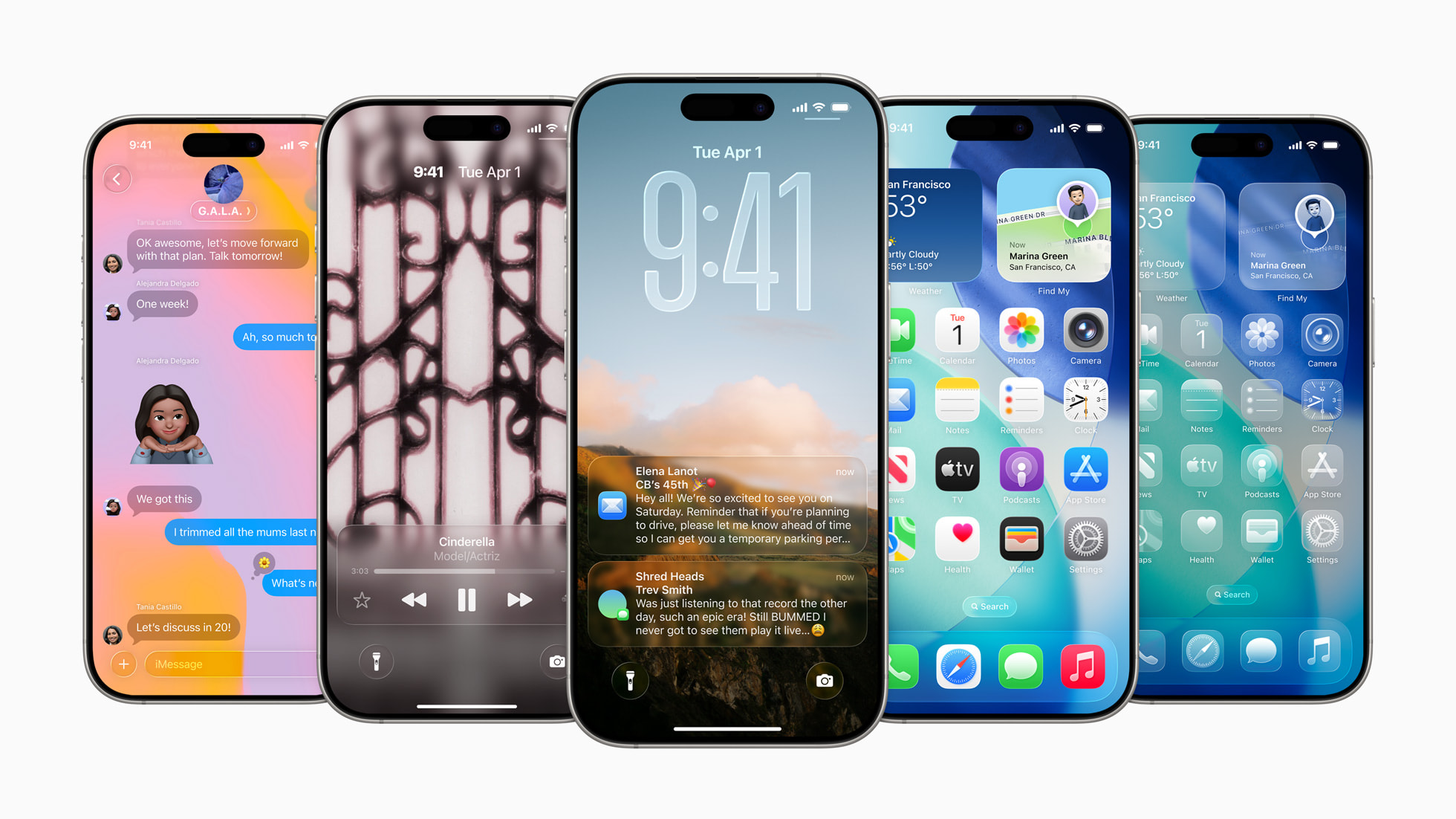
At WWDC, Apple introduced iOS 26, moving to a year-based naming convention and introducing a new visual language called Liquid Glass. On the surface, it looks like a design-forward release: more depth, translucency, and layered UI.
But if you're building with React Native or Expo, the first question isn't about glass effects.
It's this:
Is my app going to break?
The short answer: No.
The good news: React Native apps continue to run
iOS has historically maintained strong runtime compatibility, and iOS 26 follows that pattern.
If you:
- Ship a React Native app
- Are on Expo SDK 53
- Haven't touched any native code recently
Your app will continue to launch, render, and function on devices running iOS 26.
Your:
- JavaScript logic
- Business rules
- API calls
- Navigation stacks
- State management
…all behave exactly as before.
There is no sudden rendering engine rewrite.
There is no breaking JavaScript runtime change.
There is no "React Native doesn't work on iOS 26" situation.
For most teams, users will update their iPhones and never notice anything unusual about your app.
And that's important.
So why does this release still matter?
Because iOS updates don't just change how apps look, they change how apps are built and shipped.
Even if your UI stays exactly the same, two things change:
- The iOS SDK you compile against
- The version of Xcode Apple requires for App Store submissions
That's where iOS 26 becomes relevant to React Native and Expo teams.
It's less about design, and more about tooling, build pipelines, and compliance deadlines.
The shift from "will it run?" to "can I ship?"
In the past, many teams ignored major iOS releases until they were forced to upgrade.
That strategy becomes riskier when:
- CI images update
- Native dependencies bump versions
- App Store requirements enforce new SDK targets
So while iOS 26 won't break your running app, it will eventually affect:
- Your local development setup
- Your EAS build configuration
- Your App Store submission process
And that's the part worth planning for.
Xcode 26 & App Store deadlines (the part you can't ignore)
Apple has already published the minimum submission requirements:
- Starting April 28, 2026, apps uploaded to App Store Connect must be built with the iOS 26 SDK (or later).
- In practice, that means you'll need Xcode 26 (or later), because that's what ships the iOS 26 SDK.
So even if your app looks the same on iOS 26, you can't stay on an older setup forever. At some point, shipping any update (bug fixes, compliance, marketing screenshots, whatever) means your pipeline needs to compile against the newer SDK.
What this changes for React Native / Expo teams
The pressure usually shows up in a few predictable places:
- CI/EAS build images need to move forward (or you'll fail the submission requirement).
- Native dependencies that were "fine for years" suddenly break under a newer compiler / stricter defaults.
- Your upgrade stops being "nice to have" and becomes "we can't submit builds".
Expo SDK 54: the real iOS 26 upgrade
If you're on Expo SDK 53, your app will continue to run on iOS 26. But iOS releases eventually become build requirements, not just runtime updates. Expo SDK 54 is the practical upgrade point: it aligns with React Native 0.81, supports iOS 26-era tooling, and puts you on a path that won't get blocked by App Store submission requirements.
Migrating from Expo 53 → 54
Upgrading from Expo SDK 53 → 54 is mostly straightforward, but if you're using npm you'll likely hit at least one dependency-resolution snag. Here's the exact flow I used, including the two gotchas that showed up in my app.
- Prep: do the upgrade in a branch
git checkout -b chore/expo-54 - Upgrade Expo itself
Start by installing Expo 54:
npm install expo@^54.0.0Then align all Expo-managed packages to the correct versions for SDK 54:
npx expo install --fixThis step is important because it upgrades/downgrades packages to match what Expo expects for SDK 54.
Gotcha #1: npm ERESOLVE after upgrading (React types mismatch)
On my project,
npx expo install --fixfailed with npm ERR! ERESOLVE could not resolve.The root cause: React Native 0.81.x expects React 19 type definitions in the 19.1.x range, but my repo had mismatched versions of:
- @types/react
- @types/react-dom
Fix: align React types
npm i -D @types/react@^19.1.0 @types/react-dom@^19.1.0If npm still fights you: do a clean reinstall (this is what finally fixed it for me)
rm -rf node_modules package-lock.json
npm cache verify
npm install
npx expo install --fix
After the clean reinstall, expo install --fix ran successfully and dependencies were aligned.
- Run Expo Doctor (don't skip this)
Once installs are clean:
npx expo-doctorThis catches config schema issues and missing peer dependencies before they turn into runtime crashes or broken builds.
Gotcha #3: Missing peer dependency for Reanimated (react-native-worklets)
expo-doctor also reported:
Missing peer dependency: react-native-worklets (required by react-native-reanimated)
This can become a real problem in dev builds / production builds even if things seem fine in Expo Go.
Fix: install it via Expo so versions match SDK 54
npx expo install react-native-workletsThen verify again:
npx expo-doctor - Sanity-check the app after upgrade
At this point, you're aiming for "boots and core flows work":
npx expo start -cThings I always validate here:
- App boots (no red screen)
- Navigation works (tabs/stacks)
- Auth flow
- API calls / state hydration
Liquid Glass: Optional, Visual, and Worth Understanding
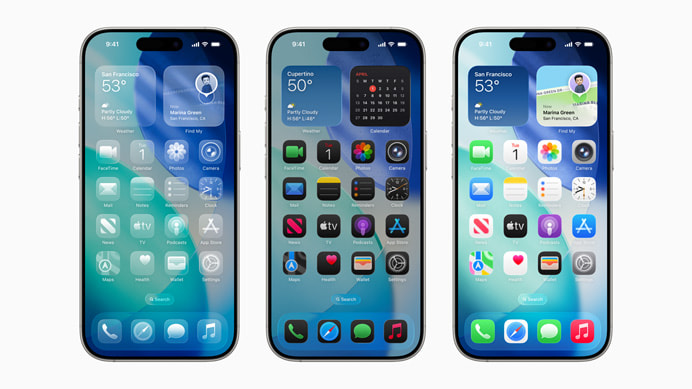
iOS 26 introduces Liquid Glass, Apple's new visual style built around translucency and layered depth.
If you're building with React Native or Expo, here's the key point:
Liquid Glass is optional.
You don't need it to:
- Run on iOS 26
- Pass App Store requirements
- Upgrade to Expo SDK 54
It's a visual evolution, not a technical requirement.
That said, Expo SDK 54 aligns you with the iOS 26 SDK and makes it possible to adopt newer visual APIs if you choose to.
I'll cover how to implement Liquid Glass in Expo and whether you actually should in a separate post.
Summary
iOS 26 won't break your React Native app.
But it does move the platform forward.
If you're on Expo SDK 53, your app will still run but upgrading to Expo SDK 54 aligns you with iOS 26-era tooling and keeps you ahead of App Store submission requirements.
Liquid Glass is interesting, but optional.
Upgrade for the tooling.
Adopt the visuals if and when they make sense for your product.
In the next post, I'll walk through how to actually use Liquid Glass in an Expo app.